

Fax without the fax machine
Send and receive faxes online in Canada. Faxes you receive arrive by email as PDFs, and you send one by uploading a PDF. No machine, no extra line, no paper.
- Keep your fax number
- Faxes by email as PDF
- No page limits
 Play video: Telephonica eFax in 60 seconds
Telephonica eFax in 60 seconds
01 / 04
ReceiveEvery fax lands in your inbox
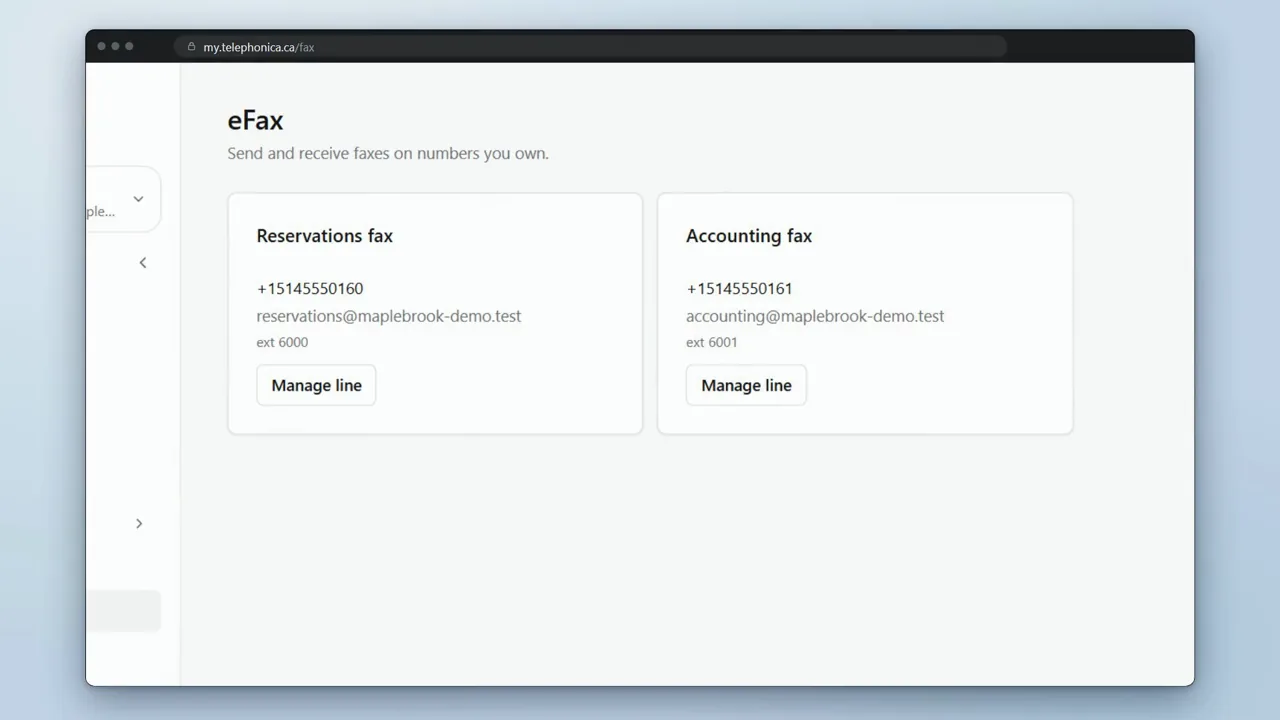
Your partners keep faxing the same number. You just stop walking to the machine.
- Faxes by emailEvery fax you receive arrives as a PDF in the inbox you choose, such as a shared fax@ mailbox.
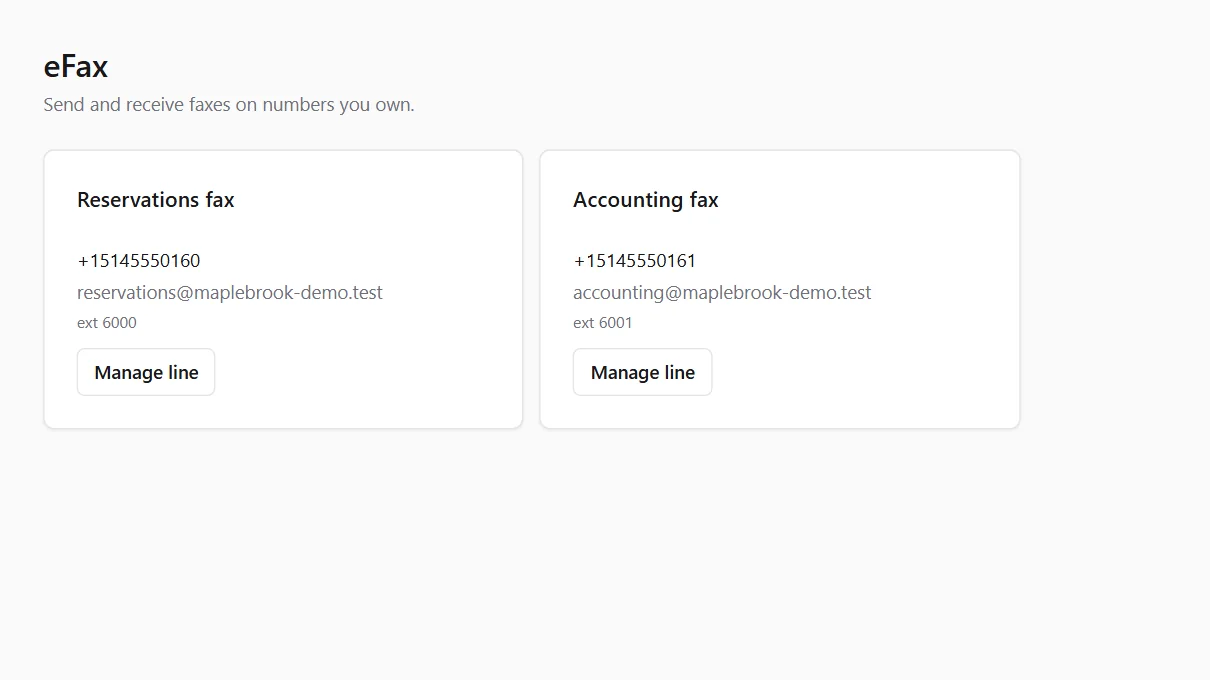
- Your own fax numberA new Canadian or US fax number, or keep the fax number you already have.
- Works anywhereAny computer, tablet or phone with internet access, at the office or at home.
Real portal screen shown with a demo account.
Real portal screen shown with a demo account.
02 / 04
SendSend a fax in three steps
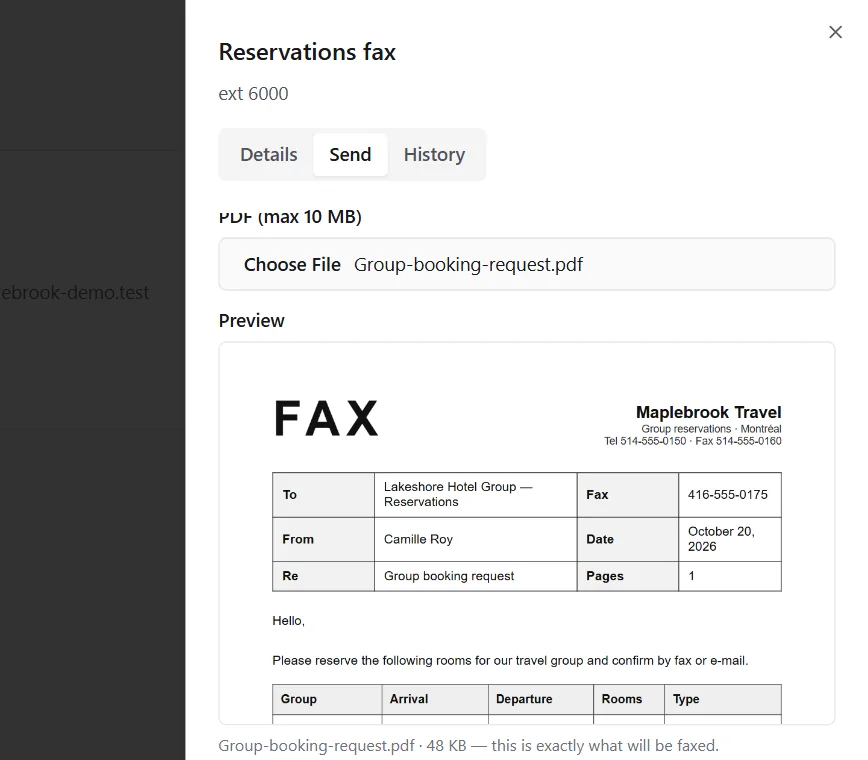
From the client portal, on any device.
- Upload a PDFUp to 10 MB. No printing, no feeding pages into a machine.
- Check the previewSee exactly what the other side will receive before you send.
- Type the number and sendYou can also send faxes from your email program; we set it up with you on request.
03 / 04
DeliveryKnow it really arrived
No more standing by the machine waiting for the confirmation page.
- From Waiting to SentFollow each fax until it shows Sent.
- Busy lines are retriedAutomatically, without you watching the machine.
- A confirmation by emailYou know the fax arrived, and you have the proof.
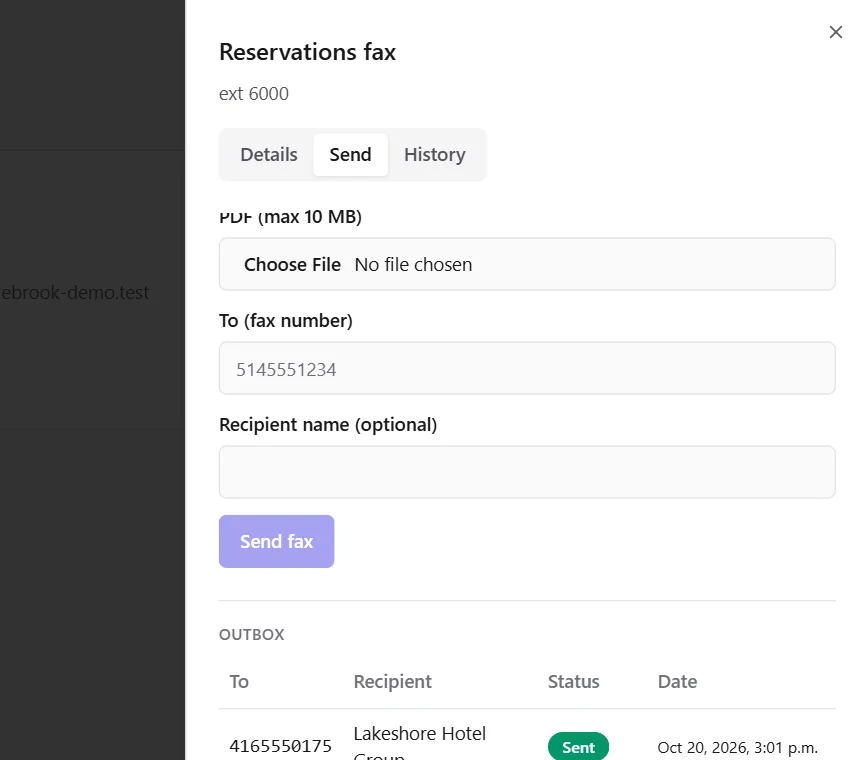
Real portal screen shown with a demo account.
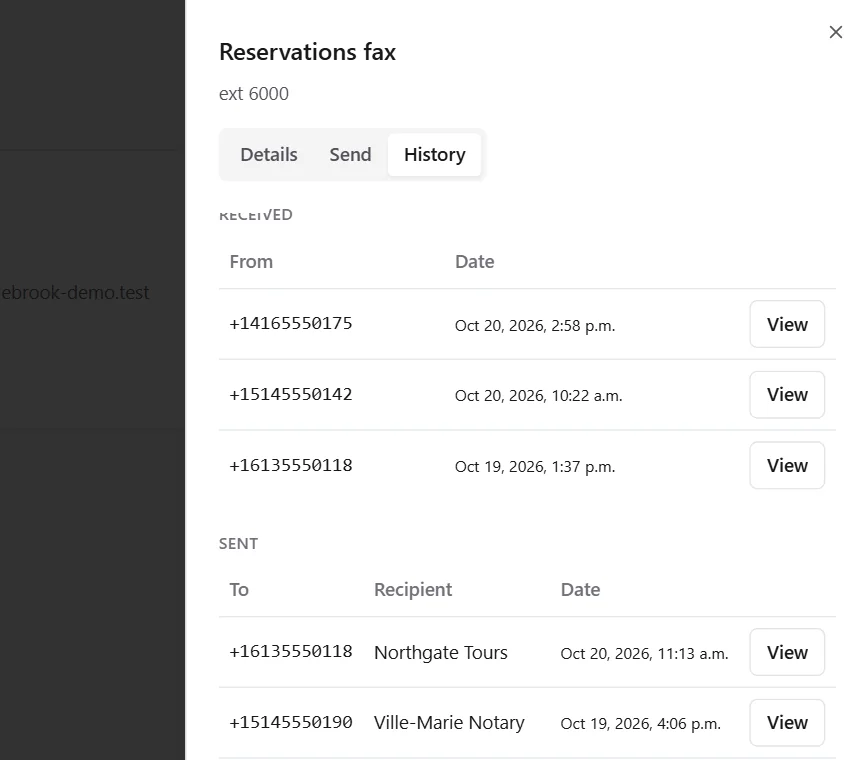
Real portal screen shown with a demo account.
04 / 04
HistoryEvery fax, kept for you
Received and sent, ready to view or download when you need it.
- Fax history in the portalReceived and sent faxes are kept in the portal.
- View or download any timeFind last month’s fax in seconds instead of a filing cabinet.
- No page limitsSend and receive as many pages as you need, with up to three users on one fax line.
For everyone who still has to fax
- Clinics, law offices and accounting firms that still exchange documents by fax
- Teams that want faxes in a shared inbox, not on a machine in the hallway
- Remote and hybrid staff who fax away from the office
- Businesses replacing a fax machine and its separate phone line
Ready to retire the fax machine?
Buy eFax online in a few minutes, or ask us first: for example, whether your current fax number can be transferred.
- A reply within one business dayFrom our team, in English or French.
- Your fax number checkedWe check that your current fax number can be transferred.
- Phones too?eFax works alongside our cloud phone system plans.
Or call us at 1-844-360-0400, Monday to Friday, 9 a.m. to 5 p.m. Eastern.
Your request goes to our sales team. Open the form in a new tab
eFax questions
What is the difference between eFax and a fax machine?
A fax machine needs equipment and its own phone line. With Telephonica eFax, faxes are sent and received online: you receive them by email and in the portal, and you send them by uploading a PDF.
Do I need a fax line or a fax machine?
No. You only need a device with internet access and your email or portal account.
Can I keep my existing fax number?
Yes. We transfer your current fax number for a one-time $20 fee. Ask us to check the number first, and keep your current service until we confirm the transfer date.
How do I receive faxes?
Each fax sent to your number is emailed as a PDF to the delivery email you choose, and kept in the portal under your fax line’s history, where you can view or download it.
How do I send a fax?
In the portal at my.telephonica.ca, open eFax, upload a PDF of 10 MB or less, type the fax number and select Send fax. You can also send faxes from email; we set it up with you on request.
What happens if the other fax is busy?
eFax retries busy lines automatically. You see the status of each fax in the portal (Waiting, Trying, Busy, Sent or Failed), and a confirmation is emailed to you.
How much does eFax cost?
$14.90 a month in Canadian dollars, including your fax number, up to three users and no page limits. Monthly plans have a one-time $24.99 setup fee; the yearly plan is $178.80 with no setup fee. Keeping your existing number costs $20. Taxes extra.
Can I use eFax for sensitive documents?
Your faxes are kept in your portal behind your login over a secure connection, and emailed only to the address you choose. For confidential or regulated documents, review our security, storage and retention terms with our team before you start.
More from Telephonica
Cloud phone system · AI receptionist · Call center solutions · Virtual numbers · Plans and prices
